Ollama agent workflow
Run local Ollama agents without losing the workflow.
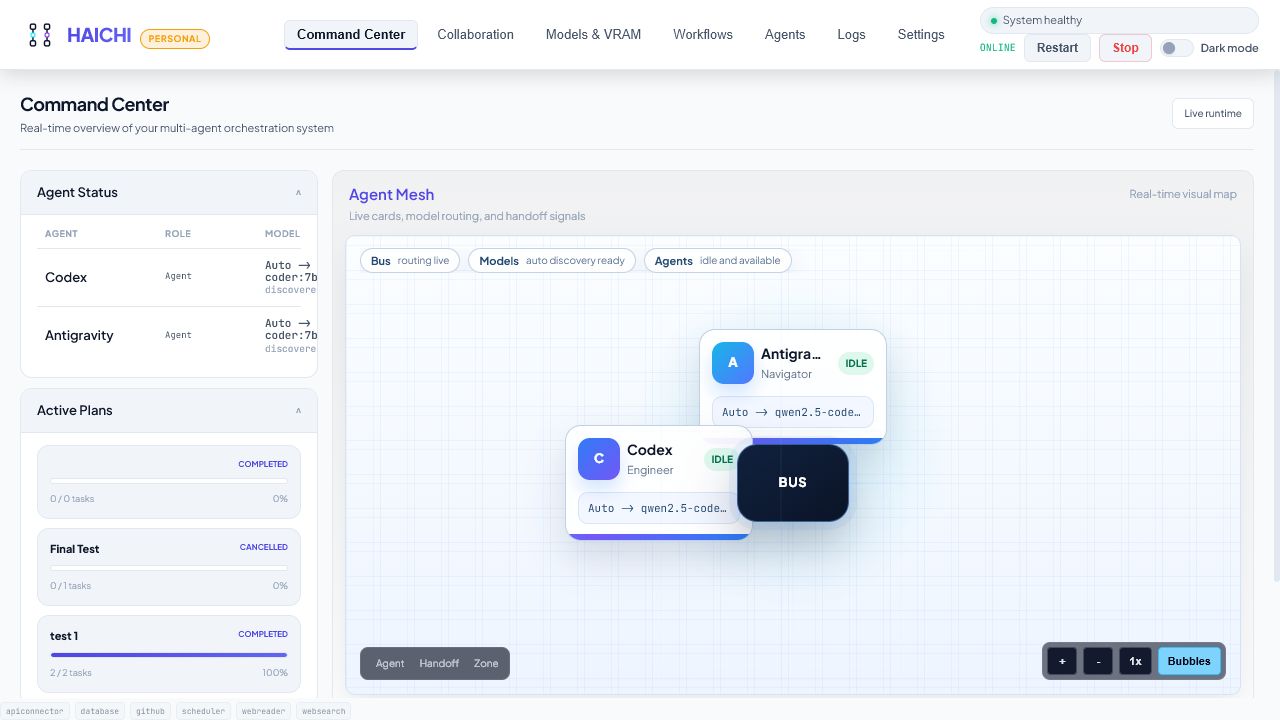
Ollama makes local models practical. The hard part starts when a task needs roles, handoffs, retries, notes, and evidence spread across several tabs and terminals. HAICHI gives that local-agent work one visible workflow.
What this solves
Local AI work usually starts cleanly: one prompt, one model, one response. It gets messy when the result needs a second pass, a verifier, a file check, or a retry. HAICHI is built for that moment.
- Assign each local agent a role, prompt, provider, model, and allowed capability set.
- Use local Ollama models by default, then add optional providers only when you configure them.
- Keep plans, handoffs, retries, and final output in one local workflow instead of separate chats.
- Review what happened before trusting the result or changing project files.
A good first HAICHI task
Create two agents: a Reviewer and a Verifier. Give them one real project change. Ask the Reviewer for concrete risks and missing tests. Ask the Verifier to challenge every weak claim and keep only evidence-backed fixes.
This workflow is narrow on purpose. It makes HAICHI useful before you try bigger automation.